在生产环境中,应用的稳定性和用户体验至关重要。当用户访问出现异常时,友好的错误提示页面不仅可以缓解用户焦虑,还能提升整体服务形象。阿里云应用型负载均衡(ALB)支持通过自定义错误页面功能,定制错误响应,满足不同业务场景需求。
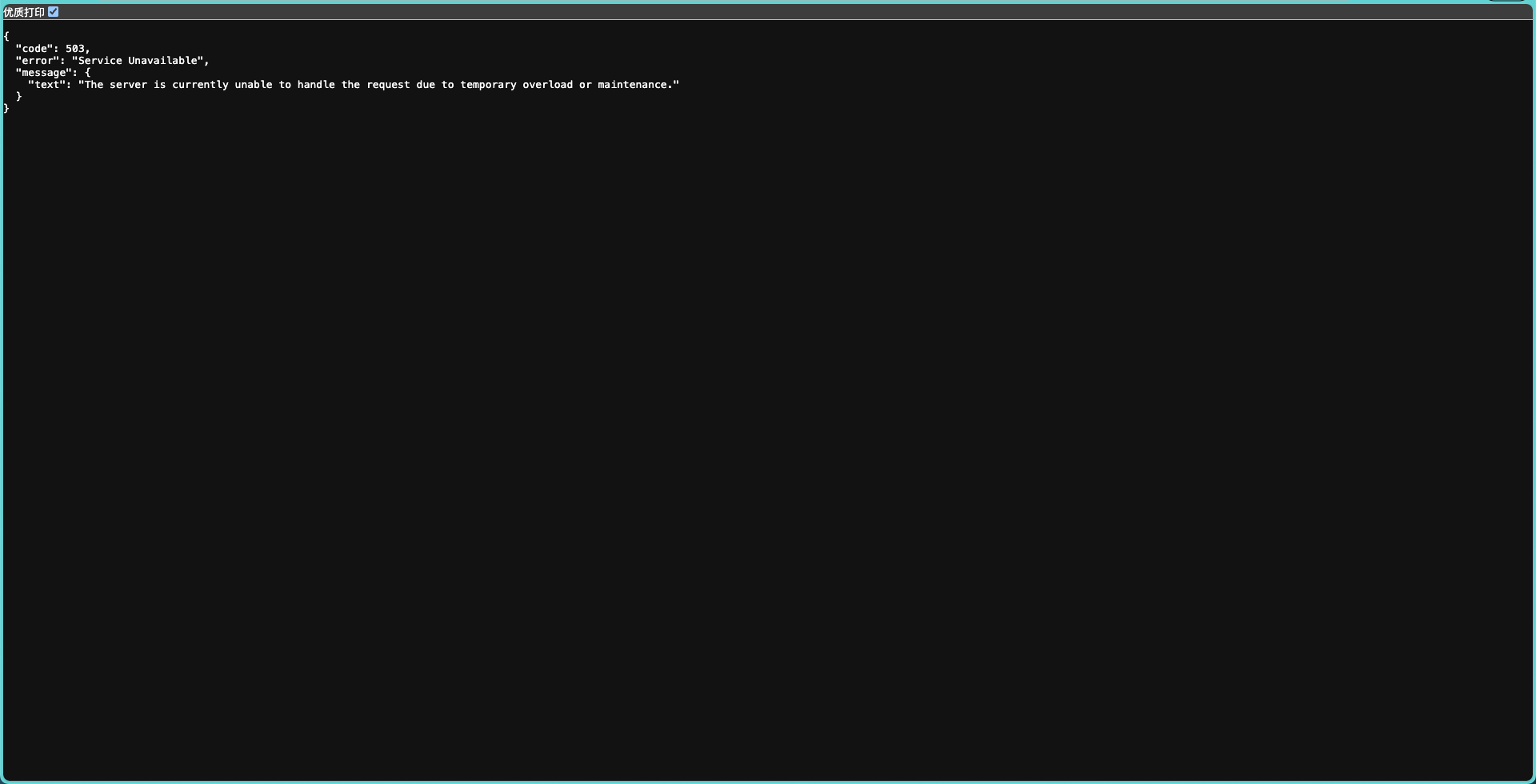
默认的报错,感观不好

1. FixedResponse 语法结构介绍
在 ALB 监听器规则配置中,**动作(Action)**部分配置 FixedResponse 时,主要包含以下字段:
| 字段 | 说明 | 取值示例 |
|---|---|---|
Type |
动作类型,固定为 fixed-response |
fixed-response |
FixedResponseConfig |
固定响应配置,包含以下子字段 | |
├─ HttpCode |
返回的 HTTP 状态码,必须是 2xx、3xx、4xx 或 5xx | "200"、"403"、"503" |
├─ ContentType |
返回内容类型,支持 text/plain、text/css、text/html、application/json |
"text/plain"、"application/json" |
├─ content |
返回的响应体内容,必须符合 ContentType 格式 | "Forbidden"、"{\"error\":\"access denied\"}" |
2. HTML配置示例
apiVersion: networking.k8s.io/v1
kind: Ingress
metadata:
  name: alb-host-503
  annotations:
    alb.ingress.kubernetes.io/actions.error-503: |
      [{
        "type": "FixedResponse",
        "FixedResponseConfig": {
          "contentType": "text/html",
          "httpCode": "503",
          "content": "<!DOCTYPE html><html lang='en'><head><meta charset='utf-8'/><title>Service Unavailable</title><style>body{font-family:Arial,sans-serif;background:#f4f4f4;color:#333;text-align:center;padding:50px;margin:0}h1{font-size:50px;color:#e74c3c}p{font-size:20px;margin-top:20px}.container{background:#fff;border-radius:8px;box-shadow:0 2px 10px rgba(0,0,0,0.1);padding:30px;display:inline-block}a{display:inline-block;margin-top:20px;text-decoration:none;color:#3498db;font-weight:bold}a:hover{text-decoration:underline}</style></head><body><div class='container'><h1>Oops!</h1><p>Service Unavailable</p><p>Sorry, the service is currently unavailable. Please try again later.</p><a href='https://www.demo.cn'>Go to Homepage</a></div></body></html>"
        }
      }]
    alb.ingress.kubernetes.io/conditions.error-503: |
      [{
        "type": "ResponseStatusCode",
        "responseStatusCodeConfig": {
          "values": ["503"]
        }
      }]
    alb.ingress.kubernetes.io/listen-ports: '[{"HTTP": 80},{"QUIC": 443},{"HTTPS": 443}]'
    alb.ingress.kubernetes.io/order: '2'
    alb.ingress.kubernetes.io/rule-direction.error-503: Response
spec:
  ingressClassName: alb
  rules:
    - host: api-test.test.cn
      http:
        paths:
          - path: /
            pathType: Prefix
            backend:
              service:
                name: error-503
                port:
                  name: use-annotation

3. JSON配置示例
apiVersion: networking.k8s.io/v1
kind: Ingress
metadata:
  name: alb-host-503
  annotations:
    alb.ingress.kubernetes.io/actions.website-service: |
      [
        {
          "type": "FixedResponse",
          "FixedResponseConfig": {
            "contentType": "application/json",
            "httpCode": "503",
            "content": "{\"code\":503,\"error\":\"Not Found\",\"message\":{\"text\":\"The requested resource was not found on the server.\"}}"

          }
        }
      ]
    alb.ingress.kubernetes.io/conditions.error-503: |
      [{
        "type": "ResponseStatusCode",
        "responseStatusCodeConfig": {
          "values": ["503"]
        }
      }]
    alb.ingress.kubernetes.io/listen-ports: '[{"HTTP": 80},{"QUIC": 443},{"HTTPS": 443}]'
    alb.ingress.kubernetes.io/order: '2'
    alb.ingress.kubernetes.io/rule-direction.error-503: Response
spec:
  ingressClassName: alb
  rules:
    - host: api-test.test.cn
      http:
        paths:
          - path: /
            pathType: Prefix
            backend:
              service:
                name: error-503
                port:
                  name: use-annotation
Comments & discussion
The first comment in each thread opens a topic. Signed-in readers can keep the conversation going under that topic.
No comments yet. Sign in to start a topic.
Start a new topic
Sign in to start a topic or join the discussion.